Amazon changes prices on its own schedule, not yours. A pair of earbuds you're eyeing today could be cheaper by Thursday — or it could climb back up before you've even finished comparing reviews. If you're checking the product page manually, you're playing a guessing game you can't win.
An Amazon price tracker exists to remove that guesswork. Instead of you watching the price, something else does — quietly, in the background, for as long as you need it to.
This guide covers what an Amazon price tracker actually does, why Amazon's prices move as often as they do, and how target prices, price history, coupon alerts, and back-in-stock alerts work together to actually save money instead of just monitoring it.
Think about the last time you bookmarked something "to buy later." Most people either forget entirely, or buy on impulse the next time they happen to revisit the page — at whatever price happens to be showing that day. Neither outcome has anything to do with whether that day's price was actually good. A tracker is what turns "later" into an actual plan instead of a vague intention.
What Is an Amazon Price Tracker?
An Amazon price tracker is a tool that checks a product's price on a recurring schedule and tells you when something changes. You give it a product link once; from that point on, it does the watching.
At its simplest, a price tracker does three things: it records the price each time it checks, compares that price against what it saw last time — or against a target you've set — and sends you a notification when the comparison crosses a threshold worth knowing about. A drop. A coupon appearing. A restock.
The alternative — reopening the same Amazon listing every day to see if anything changed — technically works, but it doesn't scale. Most people are tracking more than one product at a time, and remembering to check five or six listings daily is its own kind of chore. A tracker removes the remembering entirely, which turns out to be most of the work.
Why Prices Change on Amazon
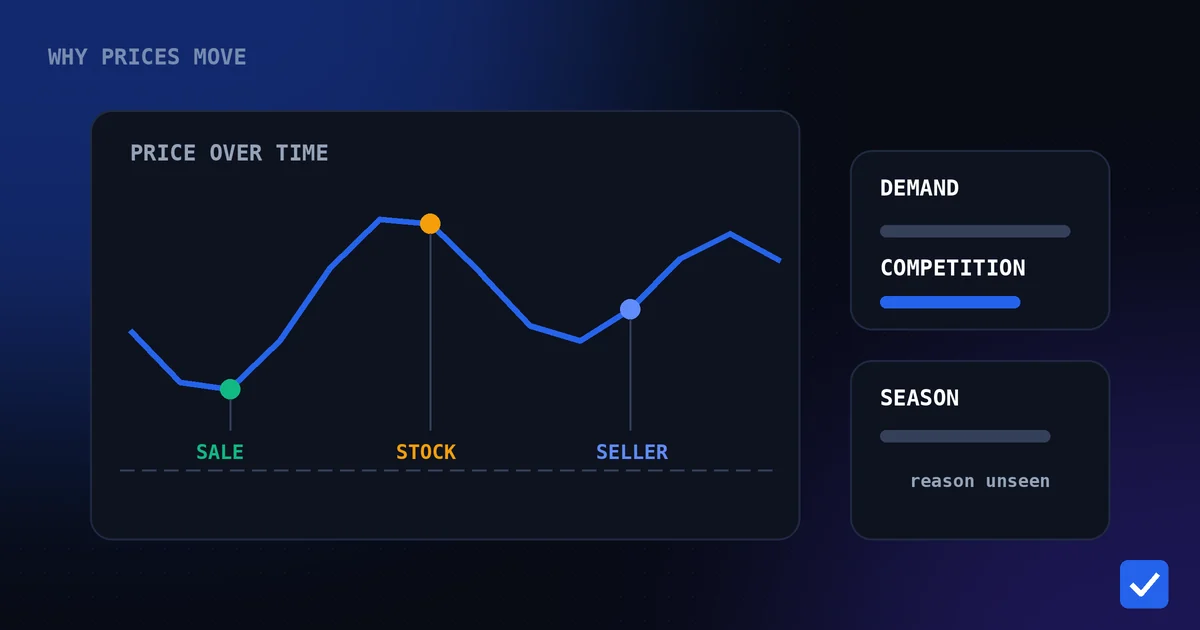
Amazon doesn't set most prices manually, at least not in the way people assume. On any given listing, the price you see is usually the output of an automated repricing system reacting to a handful of signals at once.
Competing sellers. Many Amazon listings have multiple sellers competing for the same "Buy Box," the featured position that gets most of the clicks. When one seller drops their price, others often follow within hours — sometimes minutes — to stay competitive for that spot.
Inventory levels. When stock is low, prices can rise as a lever to slow down demand until more stock arrives. When a seller is overstocked, prices often drop to move inventory faster, sometimes well below where it started.
Demand signals. Search volume, click-through rate, and how often a product is added to carts all feed into repricing algorithms that adjust in near real time, independent of any single person's decision.
Scheduled promotions. Lightning Deals, Deal of the Day, and seasonal sales events are pre-planned price drops, but they're layered on top of a price that's already moving independently for the reasons above — which is exactly why a "deal" price and a "good" price aren't always the same thing.
The result is a price that can genuinely change multiple times within a single day, without any single person deciding to change it. That's exactly why manual checking is such an unreliable strategy — you're not just missing changes, you're chasing a moving target with no way to know where it's been.
This matters even more for higher-value purchases. A few percentage points of movement on a budget item is a small amount either way. The same few percentage points on a laptop, a large appliance, or a premium phone can be a meaningful sum — exactly the kind of purchase worth watching for a few weeks rather than buying the first day you happen to look.
How to Track an Amazon Product Price
Tracking a product only takes a minute, and you do it once per product. DealTrackerProBot is a Telegram shopping bot, so the whole process happens in a chat rather than in a separate app:
- Open the bot. Start a chat with DealTrackerProBot on Telegram and press Start. There is nothing to install.
- Copy the Amazon product link. Use the product page address from your browser, or the share option in the Amazon app.
- Paste the link into the chat. The bot reads it and starts tracking that product.
- Leave it running. By default you're notified when the tracked price drops.
- Optionally set a target price. If you already know what you're willing to pay, set a target from your tracking list and you'll only be alerted once the price reaches that number.
The bot tracks supported listings on several Amazon marketplaces, including the Amazon India price tracker and Amazon.com pages, as well as Flipkart, and the supported stores page shows exactly what is covered on each. The Telegram commands page explains how to review, change or remove a tracked product, and the Amazon price tracker feature page has the short version. If your main goal is being told when a price falls, our guide to Amazon price drop alerts goes deeper on how those alerts work.
Benefits of Tracking Prices
Once tracking replaces manual checking, a few clear advantages show up quickly. None of them require any extra effort on your part beyond the minute it takes to add a product link in the first place.
- You stop missing short-lived drops. Some price drops last hours, not days. A tracker catches them the moment they happen instead of after they've already reversed.
- You buy with actual evidence. Instead of guessing whether a price is good, you're comparing it against real history for that specific product.
- You save time, not just money. The minutes spent checking a product daily add up across weeks. Automated tracking gives that time back.
- You avoid decision fatigue. Deciding whether to buy "now or wait" is easier with a target price than with a vague feeling that today might be a good day.
- You catch more than just price. Coupons and restocks matter just as much as the sticker price, and a good tracker watches for all three at once.
- Small savings add up across purchases. A modest saving on one product doesn't feel like much on its own. Applied consistently across everything you buy online over a year, it becomes a genuinely noticeable amount.
Target Price Alerts
A target price is the number you've decided you're actually willing to pay — not the current price, not the "recommended" price, but your own number, set in advance.
Instead of getting an alert every time the price shifts by a small amount, you set a target once. From then on, you're only notified when the price reaches or drops below that specific number. This turns tracking from a stream of minor updates into a single, meaningful alert: the moment your product is actually worth buying.
Setting a sensible target matters more than picking a round number. A target based on nothing will either never trigger or trigger too easily to mean much. The most reliable way to set one is to check the product's price history first, so your target reflects what the product has actually sold for — not a guess based on the current price alone.
For example, if a pair of headphones is currently listed well above where it's sold in the past, setting your target near its previous low gives the alert a real chance of firing at a genuinely good price. Setting it just a little below today's price, without checking history at all, risks locking in a target that was never actually a good deal to begin with.
Price History
Price history is the record of what a product has actually cost over time, not just what it costs today. It's the context that makes a target price meaningful in the first place.
Without it, you're setting a target blind. With it, you can see whether a certain price is a reasonable target for a product that regularly dips that low, or an unrealistic one for a product that's never gone anywhere close. Price history turns "what should I pay?" from a guess into a decision grounded in the product's actual behavior over time.
It also protects against a specific and common trap: listings sometimes show a discount calculated against an inflated reference price. A large percentage-off badge looks meaningful until you check whether the current price is genuinely lower than what the product sold for a few weeks earlier. Price history is the only reliable way to check that.
Coupon Alerts
Coupons on Amazon are usually separate from the listed price — a clippable discount, or an instant coupon applied at checkout, that isn't reflected in the price shown at the top of the page.
These are easy to miss for one simple reason: they can appear and disappear without warning, and there's no single consistent place they always show up. A product you checked yesterday with no coupon might have one today, and it might be gone again by tomorrow, regardless of what the listed price is doing.
A tracker that watches for coupons closes this gap. Instead of hoping you happen to glance at a listing while a coupon happens to be active, you get notified the moment one becomes available — while there's still time to actually use it before it expires.
Back-in-Stock Alerts
Popular products go out of stock, often at exactly the moment demand — and interest — is highest. Once that happens, most shoppers are left refreshing the page periodically, hoping to catch the restock before it sells out again.
A back-in-stock alert removes the refreshing. The tracker keeps checking a sold-out listing on your behalf, and the moment it becomes available again, you're notified early enough to actually buy it, instead of finding out after it's already gone a second time.
This matters most for exactly the products where it's hardest to manage manually: high-demand items that restock in small batches and sell out again within hours of becoming available.
How Can You Tell Whether an Amazon Discount Is Real?
A discount badge compares today's price with a reference price the listing chooses to show, and that reference isn't always what the product recently sold for. A few quick checks tell you whether a big percentage is a bargain or just a number:
- Look at the recorded range, not the badge. Check the lowest and highest prices recorded for the product. If today's price is near the low end of that range, the discount is more likely to be genuine. If it sits in the middle, the badge may be overstating it.
- Check how long the price has been there. A price that has held steady for weeks isn't a temporary deal, whatever the page says.
- Compare the final amount, not the listed price. Coupons and bank offers change what you pay without changing the listed price, so compare what you'd actually pay on each date.
- Be cautious with new listings. A product with little recorded history can't tell you much yet. Wait for more data, or compare it with the same item on another store.
The history DealTrackerProBot shows for a product covers the time since you started tracking it, which is why adding a product early matters. The full process, with a worked example, is in Amazon price history: is it really a deal?, and the same checks for the other store are in our Flipkart price tracker guide.
Common Mistakes Buyers Make
A few habits quietly cost shoppers money, even when they think they're being careful. Most of them come down to trusting a single number on the page instead of checking the fuller picture.
Trusting the discount badge without checking history. A percentage-off badge describes a comparison, not a guarantee. It's only meaningful if the reference price behind it is real.
Setting a target price with no data behind it. A target chosen at random either never triggers or triggers too soon to represent real savings. Check price history first, then set a number based on it.
Buying during the countdown instead of checking first. Lightning Deal timers are designed to create urgency. A genuinely good deal is still good after the minute it takes to glance at price history.
Forgetting to check for coupons separately. The listed price isn't the whole picture. A coupon can meaningfully change the actual cost, and it's invisible unless checked for specifically.
Giving up after one missed restock. A single missed restock feels like bad luck, but it's usually a sign that manual checking isn't going to work for that particular product — which is exactly the situation automated tracking is built to solve.
Tracking too late to matter. Adding a product to a tracker the day before a big sale gives it almost no time to establish a meaningful history. Tracking a few weeks ahead of a purchase you already know is coming gives target prices and history far more to work with.
How DealTrackerProBot Helps
DealTrackerProBot brings target prices, price history, coupon alerts, and back-in-stock alerts together in a single Telegram chat, built specifically around Amazon and Flipkart listings.
Here's what it does today:
- Amazon support — send any Amazon product link, and tracking starts immediately.
- Target price tracking — set the exact price you're willing to pay, and get alerted only once the product reaches it.
- Price history — see how a tracked product's price has moved since you started watching it.
- Coupon alerts — get notified the moment a coupon becomes available on a tracked product.
- Back-in-stock alerts — get notified the moment a sold-out product becomes available again.
- Price drop alerts — get notified automatically whenever a tracked product's price falls.
- Telegram notifications — every alert lands as a normal Telegram message, in the same chat where you added the product.
There's no separate app to install and no account beyond the Telegram account you likely already have. You send a link, and tracking starts from there — nothing else to set up.
Each of these features works on its own, but they're genuinely more useful together. Price history gives you a realistic target price to set. The target price alert tells you the moment that number is hit. Coupon alerts catch the savings that never show up in the listed price at all. Back-in-stock alerts mean a temporary sellout doesn't mean permanently missing out. Used separately, each solves one problem. Used together, they cover the entire buying decision from start to finish.
Conclusion
Amazon's prices move constantly, for reasons that have nothing to do with when you happen to be looking. Checking a listing manually means competing with an automated system on its own schedule — and losing more often than winning.
A price tracker changes the terms. Set a target price based on real history, let coupon and back-in-stock alerts cover the rest, and there's nothing left to check by hand. The products worth tracking are usually the ones you were already planning to buy eventually — tracking just makes sure you don't pay more than you had to while waiting.
Open DealTrackerProBot on Telegram, send it the Amazon product you're watching, and let it take over from here.
Related pages: Home, Pricing, Supported Stores, Telegram Commands, About, Contact, Amazon Price Tracker, Price Drop Alerts, Target Price Alerts, Features, FAQ